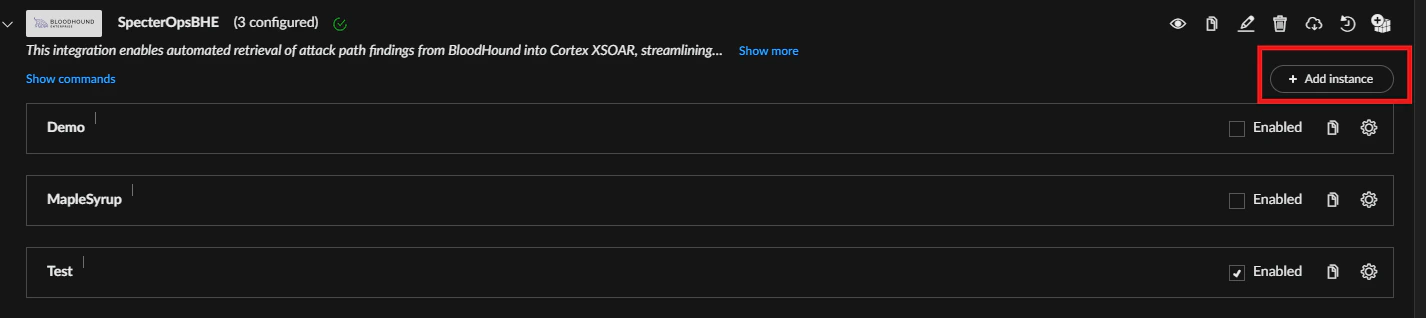
 The BloodHound Enterprise integration for Cortex XSOAR lets you ingest and manage BloodHound Enterprise attack path findings in Cortex XSOAR as incidents.
Use this integration to:
The BloodHound Enterprise integration for Cortex XSOAR lets you ingest and manage BloodHound Enterprise attack path findings in Cortex XSOAR as incidents.
Use this integration to:
- Automatically convert BloodHound Enterprise attack path findings into Cortex XSOAR incidents
- Attach remediation guidance and posture context to incidents
- Run playbooks and custom commands to analyze, triage, and remediate findings
- Automated incident creation with titles, descriptions, remediation guidance, impact/exposure metrics, severity, and domain/environment context
- Playbook linking per incident to run custom analysis commands
- Custom commands:
- Object ID lookup by name
- Asset information by object ID
- Path analysis between two nodes in the BloodHound graph
Prerequisites
Before installing and configuring the Cortex XSOAR integration, ensure that you have the following:- Admin access to a Cortex XSOAR instance
- BloodHound Enterprise tenant
- A BloodHound Enterprise non-personal API token with the Auditor role
If a BloodHound Enterprise administrator has configured API key expiration, plan to regenerate API tokens and update the integration configuration before they expire to prevent disruptions.
Configure Cortex XSOAR
Set up the SpecterOps BloodHound Enterprise integration instance in Cortex XSOAR.1
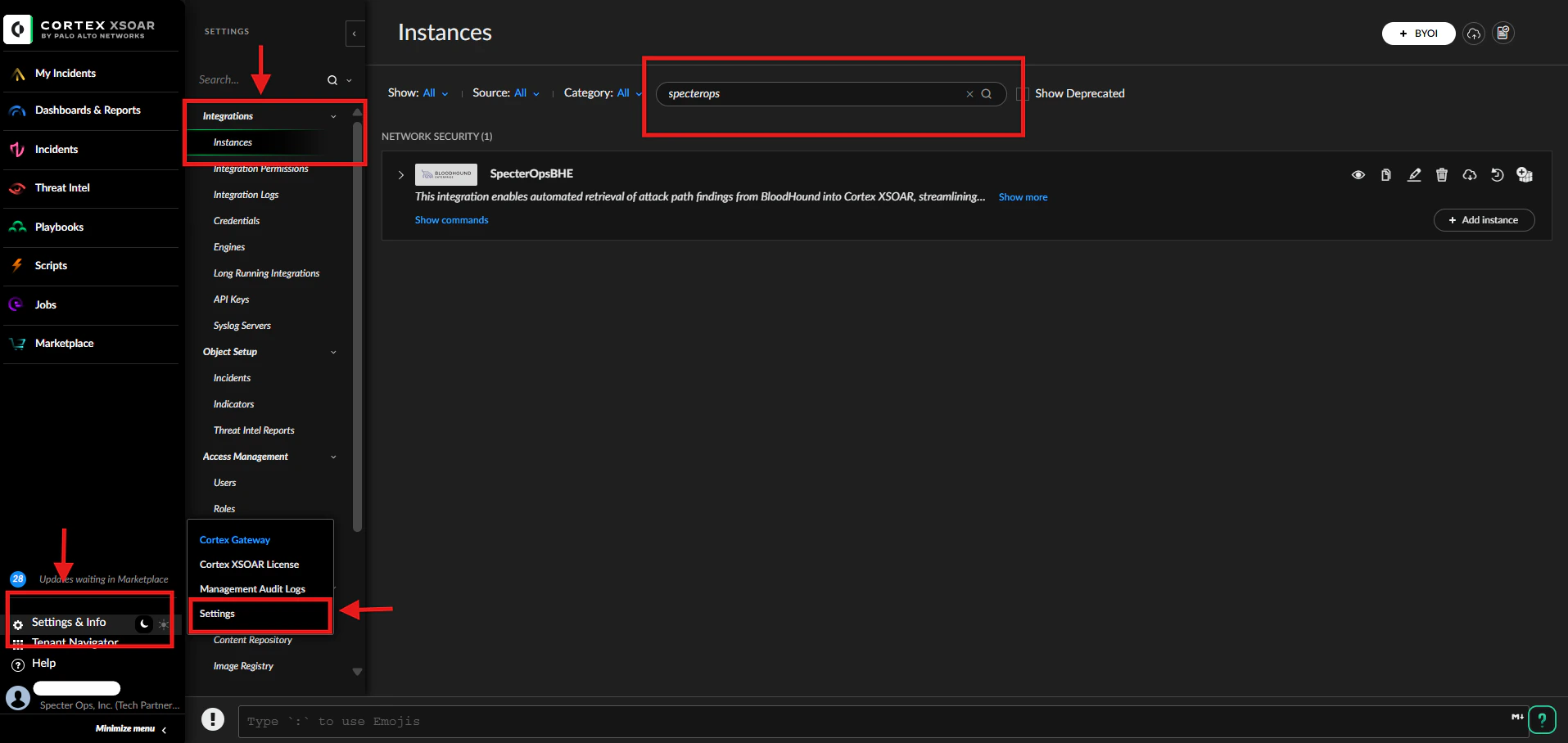
Open integration instances
- Log in to your Cortex XSOAR instance.
-
Go to Settings & Info > Settings > Integrations > Instances.
2
Add SpecterOpsBHE instance
- Search for the SpecterOps integration.
- Click Add Instance for the SpecterOpsBHE integration.
-
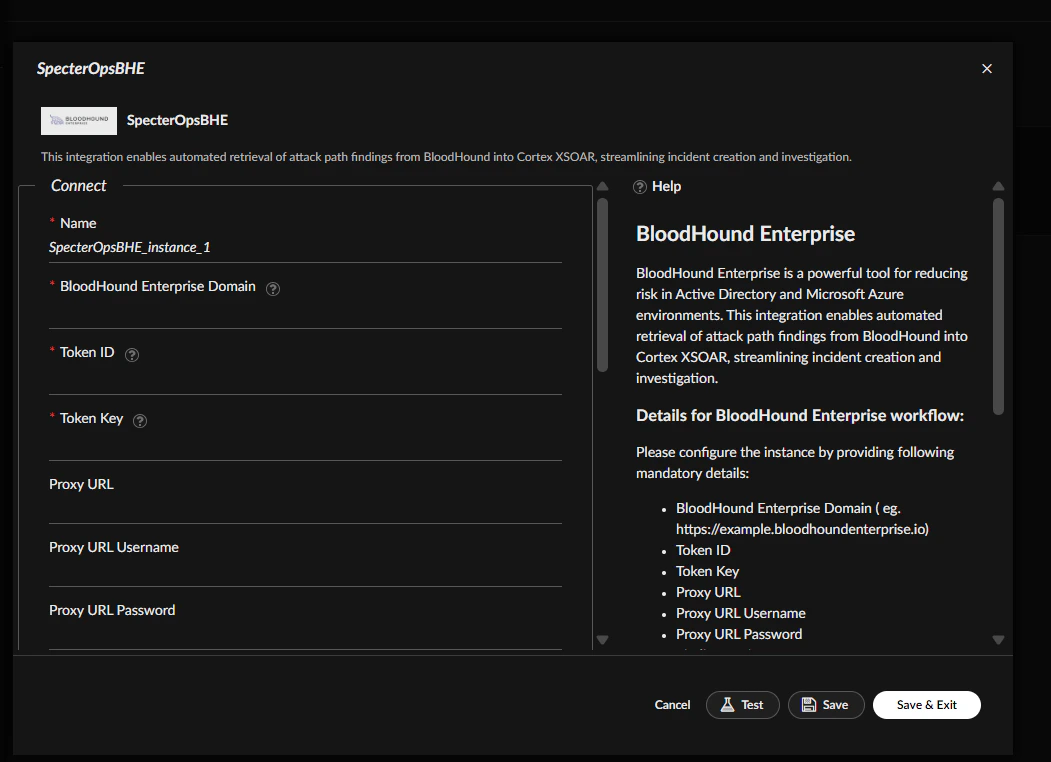
Configure settings.
By default, Finding Environment and Finding Category are set to All.
3
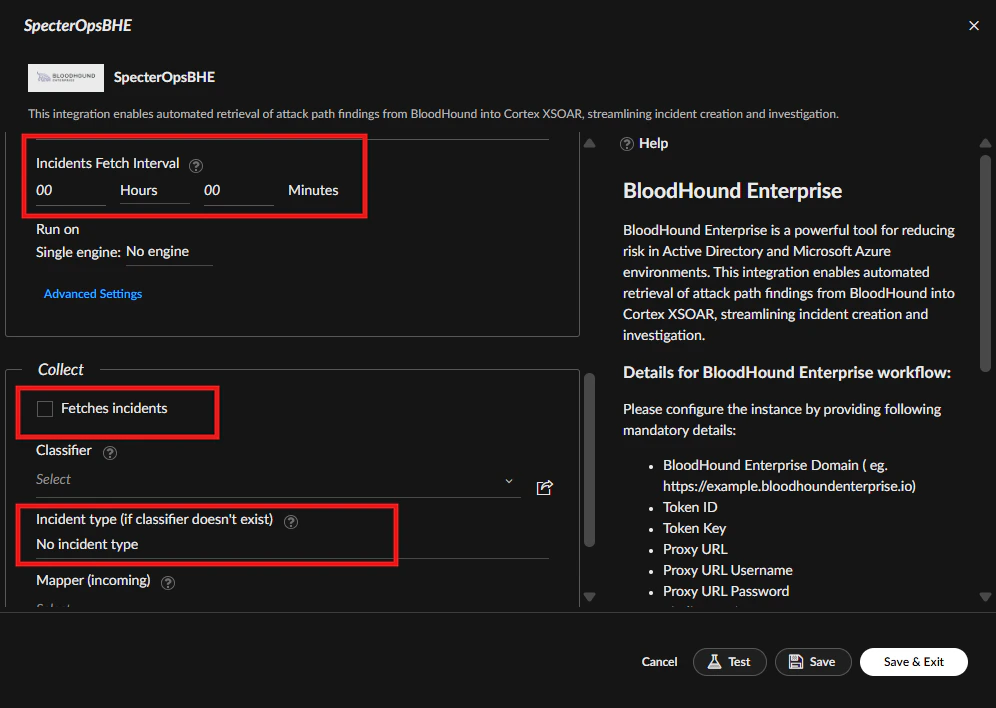
Enable fetching and schedule interval
- Check the Fetches incidents option (required).
- Set Incident Type to “SpecterOpsBHE Attack Path” (optional).
-
Set the Incidents Fetch Interval to your preferred schedule (required).
The default fetch interval is 10 minutes.
4
Test and save the configuration
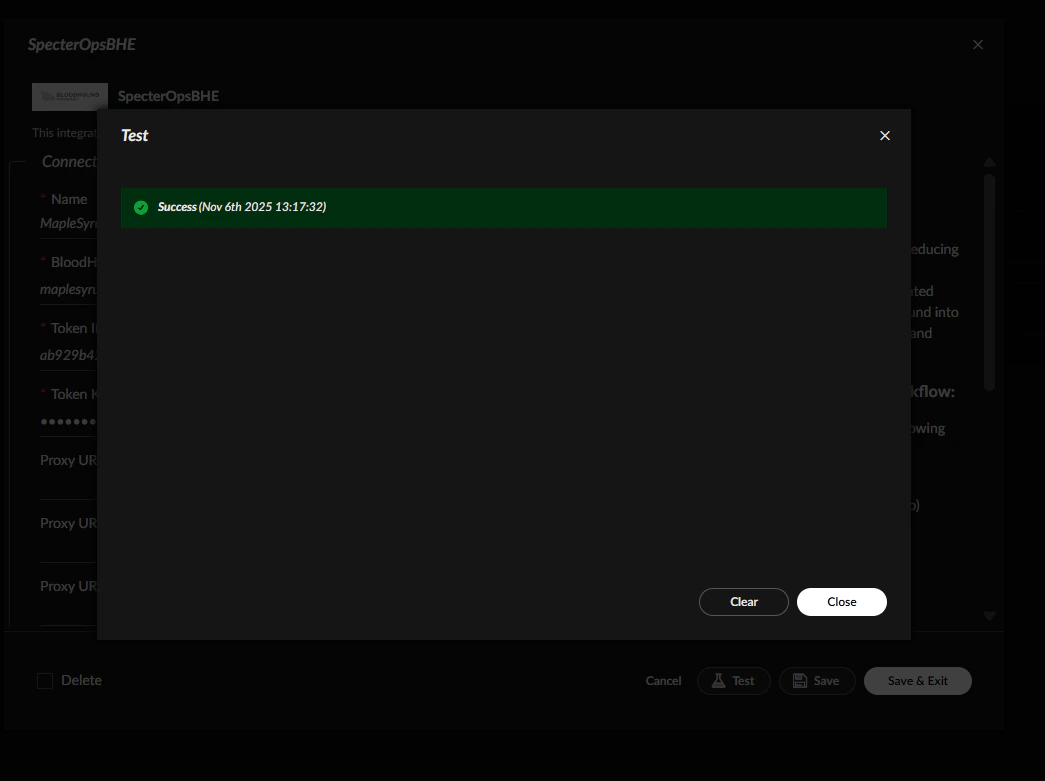
- Click Test to verify connectivity and credentials.
-
Close the modal, then Save the instance.
5
Manage multiple domains or disable instances
- To add additional BloodHound Enterprise domains, create more instances with Add Instance.
-
To stop fetching, uncheck Enable to disable the instance.