

 The SpecterOps BloodHound Vulnerability Response Integration for ServiceNow provides a powerful solution for automating vulnerability management and remediation workflows based on attack path analysis.
After installation and configuration is complete, you can start using the integration to view attack path data in ServiceNow’s Vulnerability Manager Workspace. This section provides an overview of how to access and navigate the workspace to see the collected data from BloodHound Enterprise.
The SpecterOps BloodHound Vulnerability Response Integration for ServiceNow provides a powerful solution for automating vulnerability management and remediation workflows based on attack path analysis.
After installation and configuration is complete, you can start using the integration to view attack path data in ServiceNow’s Vulnerability Manager Workspace. This section provides an overview of how to access and navigate the workspace to see the collected data from BloodHound Enterprise.
See the ServiceNow documentation for more information about using the Vulnerability Manager Workspace.
1
View the Vulnerability Manager Workspace
- Log into your ServiceNow instance.
-
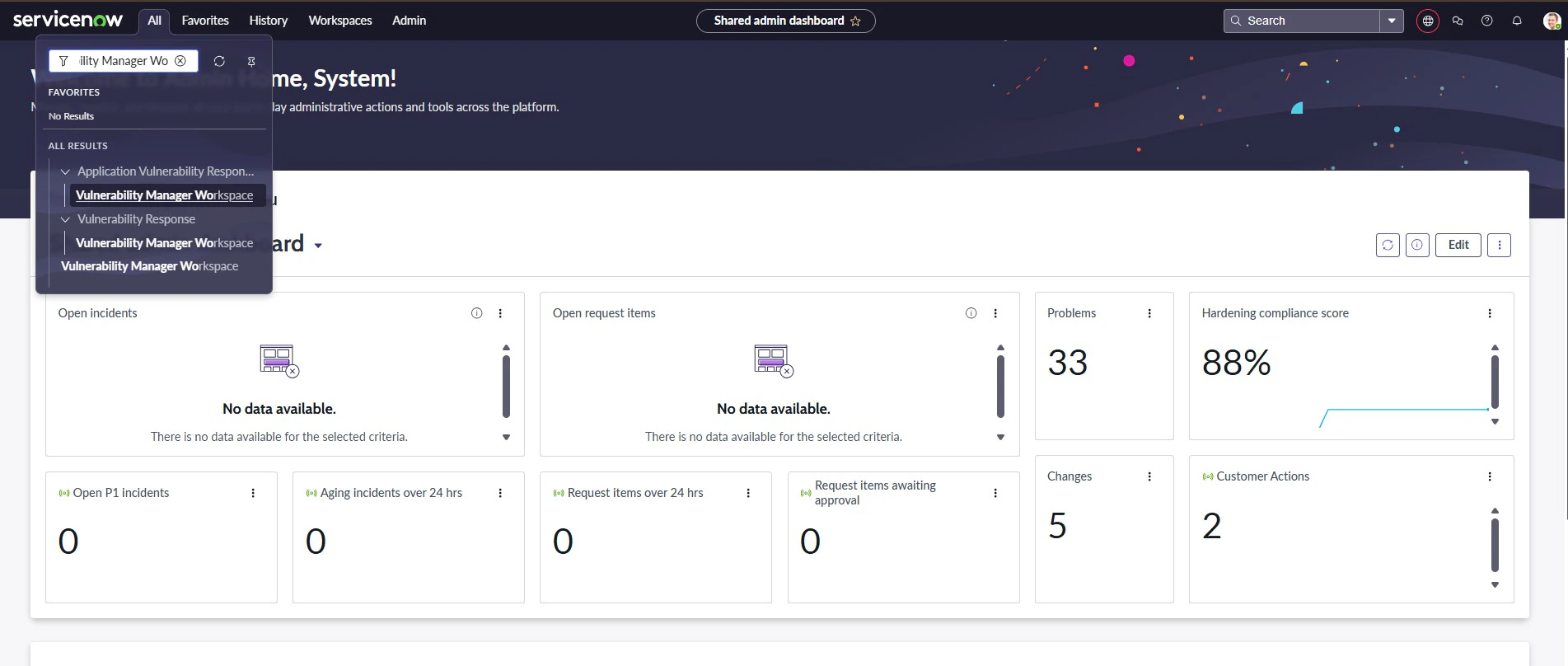
Click All and enter Vulnerability Manager Workspace in the search bar and select it.
2
Navigate the workspace to see BloodHound data
-
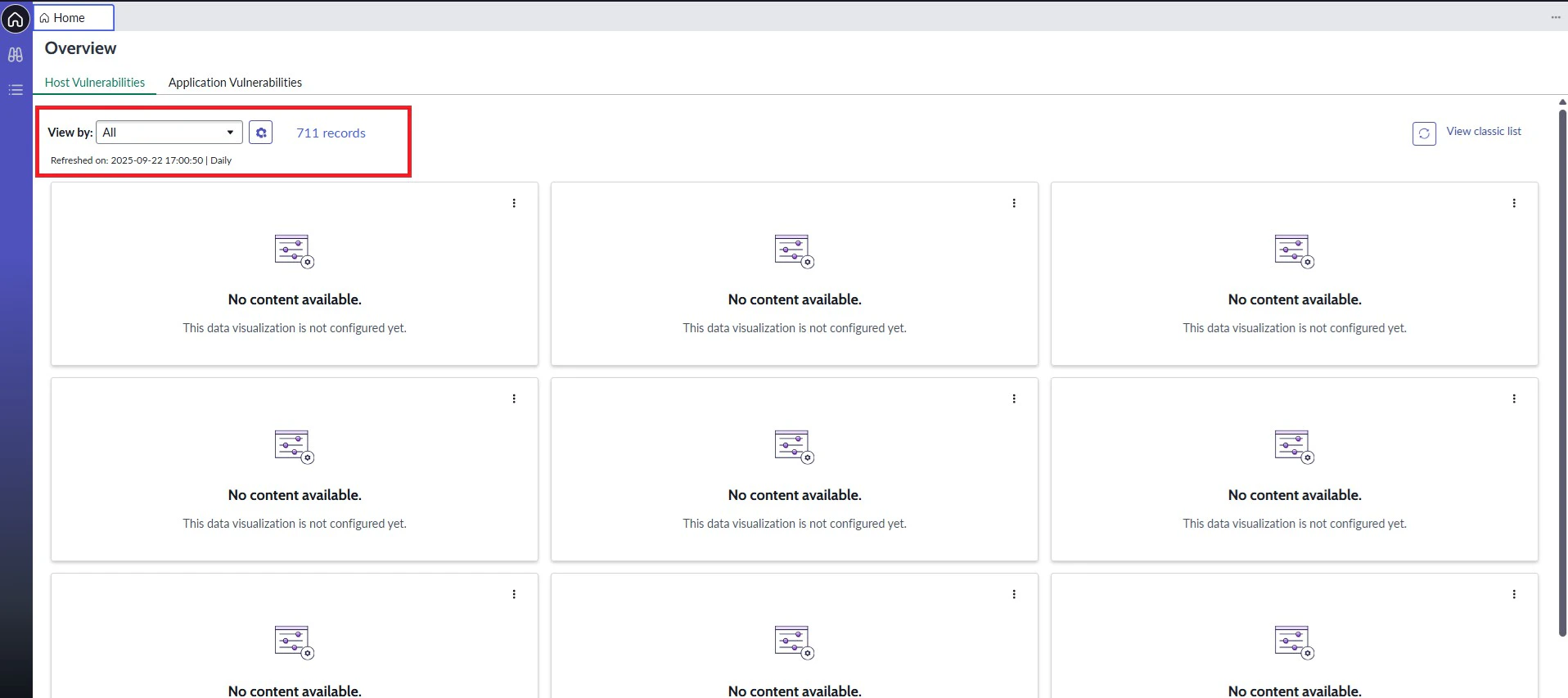
Under the View by dropdown, select All.
-
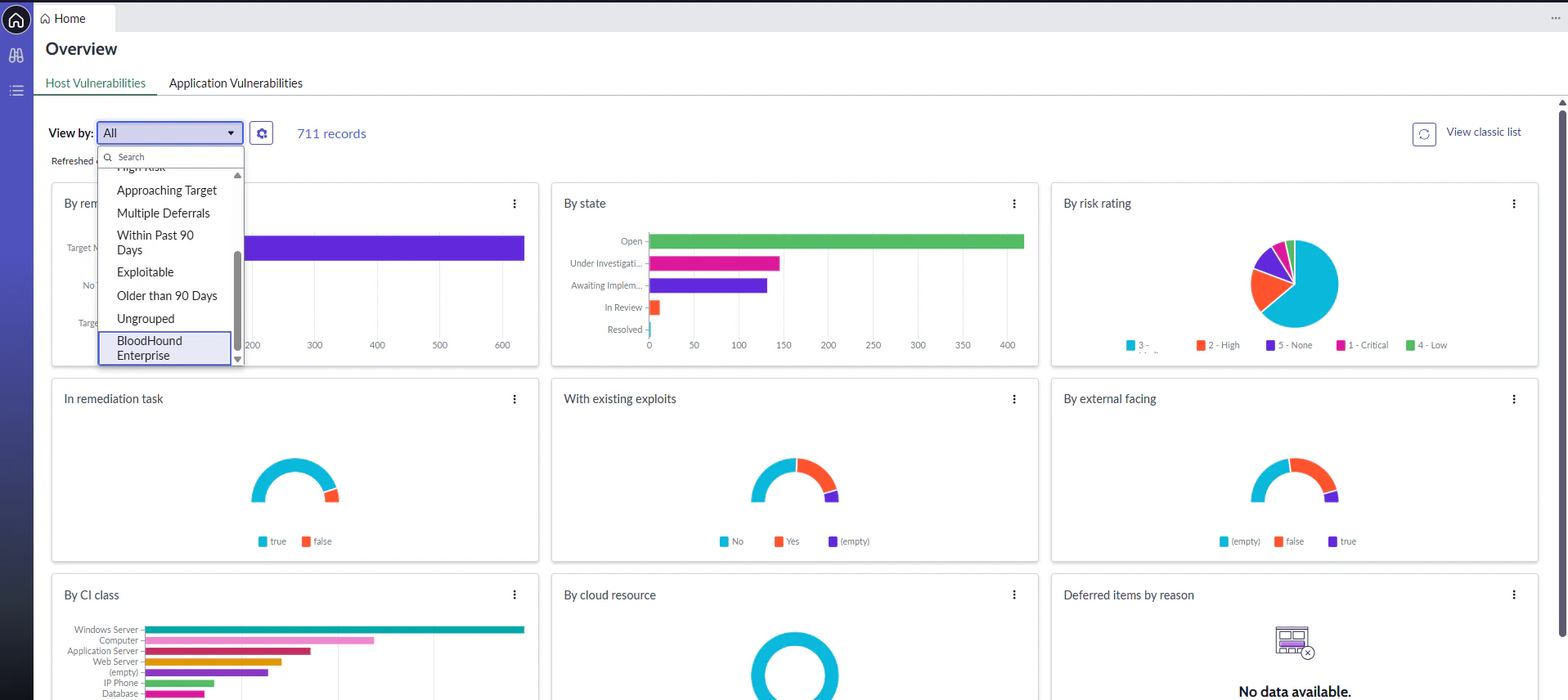
Scroll down and select BloodHound Enterprise.
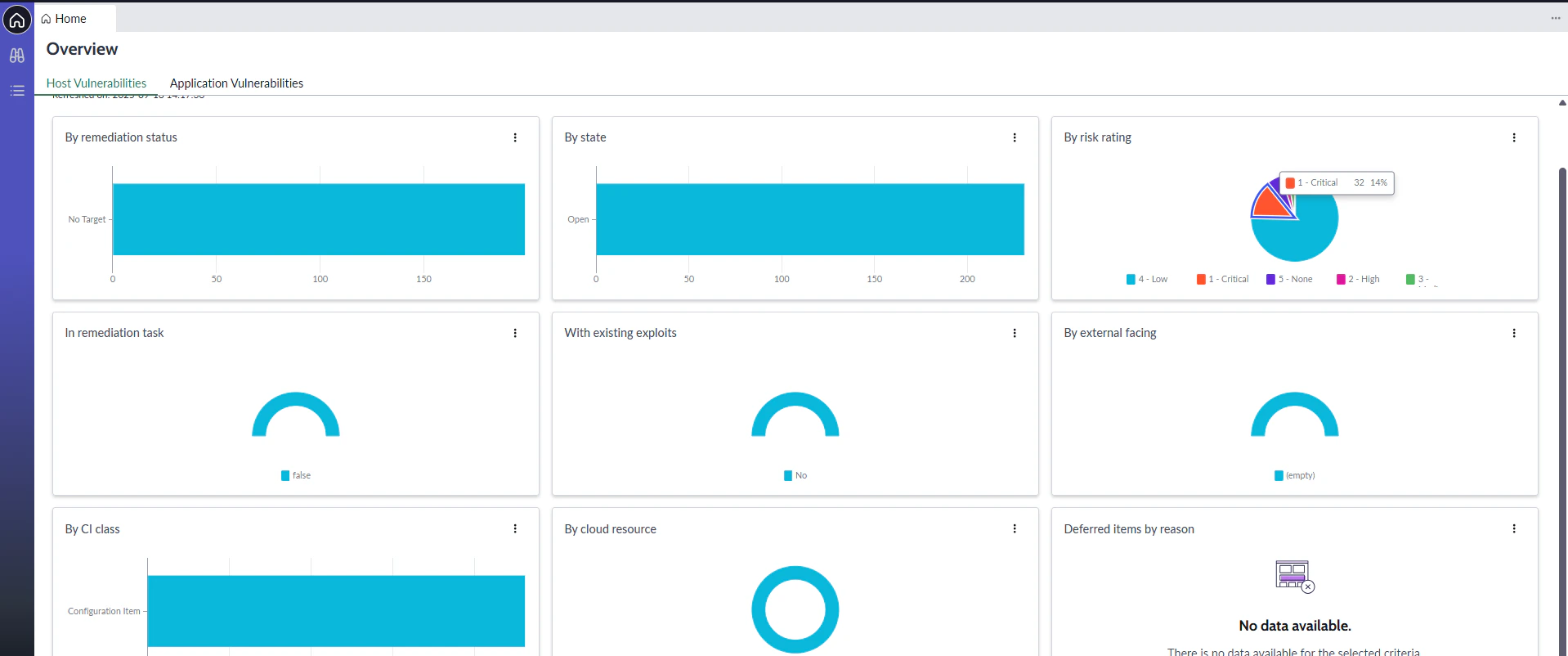
The following visualization shows the collected data in a graphical format.
Next steps
After successful implementation and initial use of the integration, consider the following next steps to maximize value:- User training: Provide comprehensive training to security teams and ServiceNow users
- Process integration: Integrate the solution with existing security processes and workflows
- Performance optimization: Monitor and optimize performance based on usage patterns
- Regular updates: Stay current with application updates and new features
- Expansion: Consider expanding integration to additional environments and use cases
Maintenance and support
Ongoing maintenance and support are critical for ensuring the long-term success of the integration. Consider the following best practices:- Regular health checks: Schedule periodic reviews of integration health and performance
- Update management: Plan for regular application and system updates
- Documentation updates: Maintain current documentation as configurations change
- User feedback: Collect and act on user feedback for continuous improvement